

For Notion
Content Creator Hub
$15
Get this template
Get this template
Get this template


Boost your content creation game with the Creator Hub for Notion.
What's inside?
What's inside?
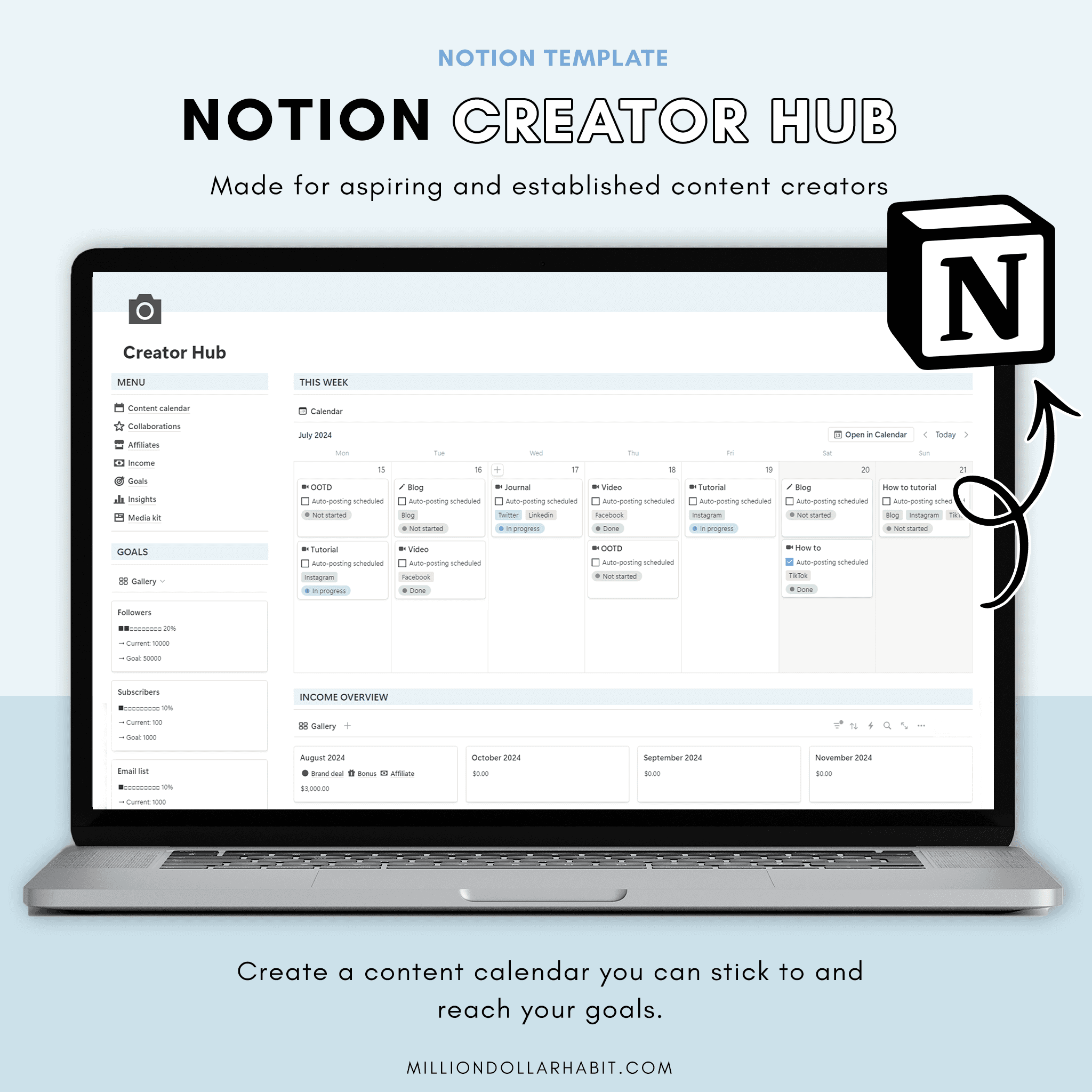
This intuitive template includes everything you need to stay on top of your content, from a detailed content calendar to valuable insights on income and collaboration opportunities.
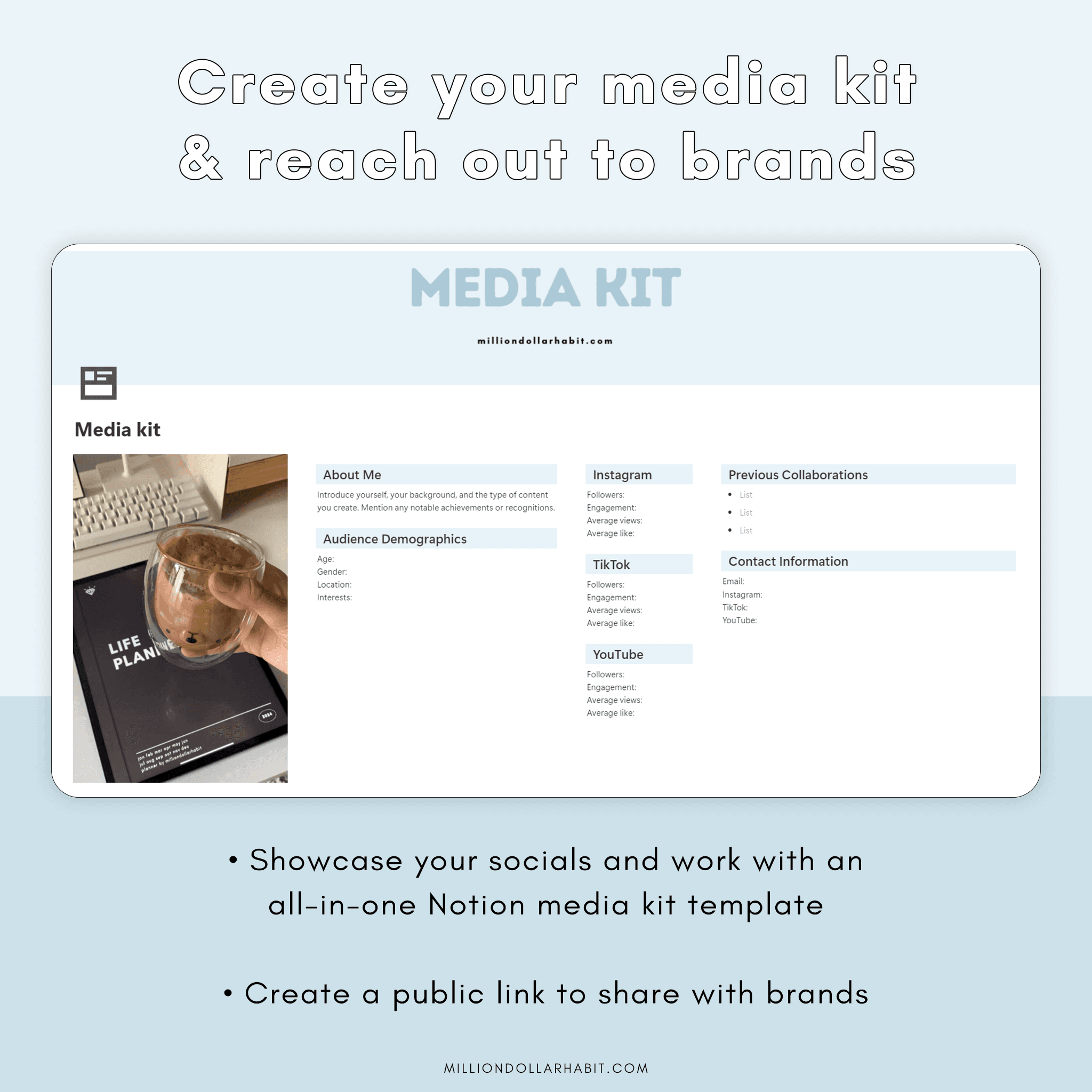
Plus, the media kit template makes it easy to showcase your personal brand to potential affiliates!
What's inside:
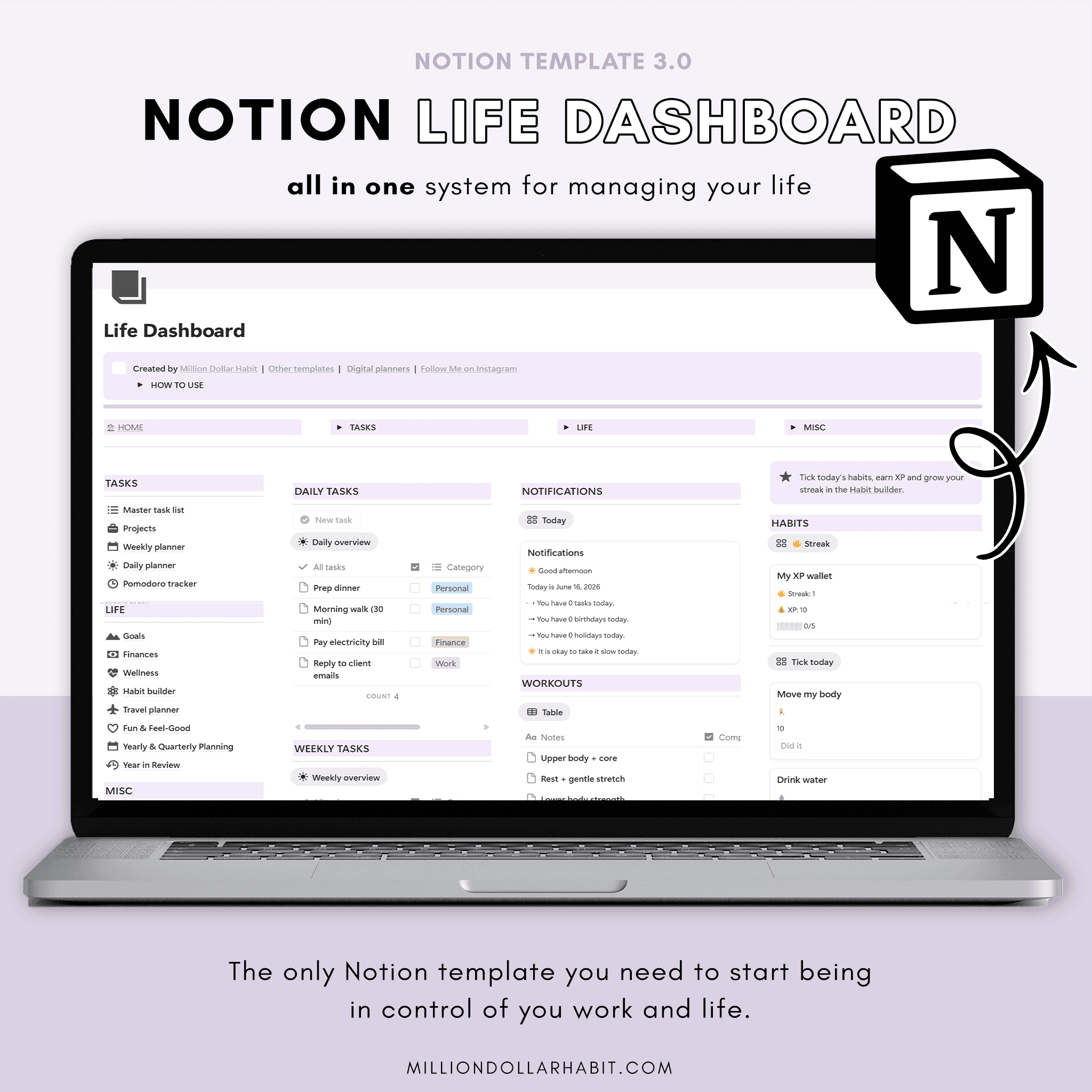
- Creator dashboard with an easy access menu, goals preview, content calendar, and monthly income overview
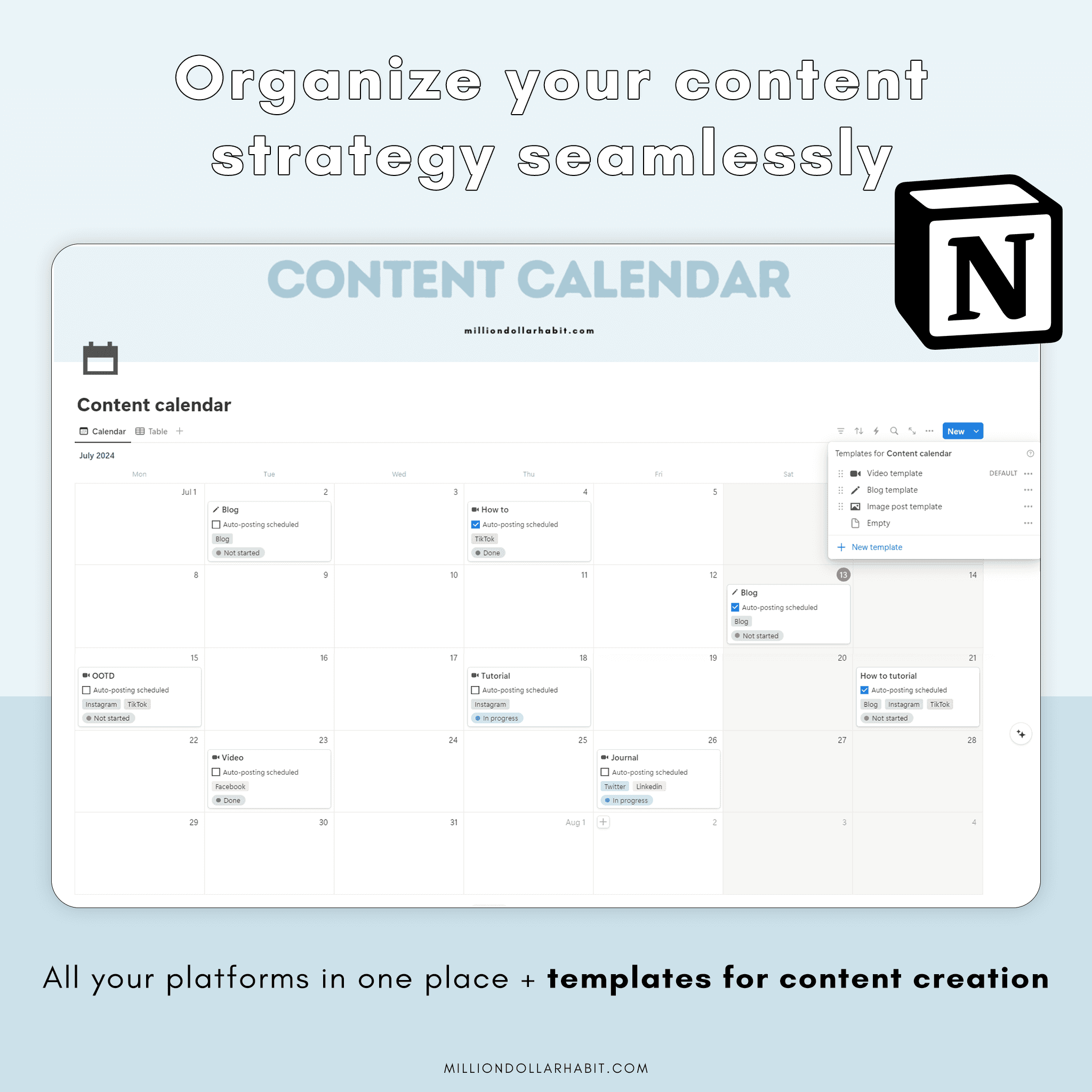
- Content calendar (Monthly + Weekly view) with templates for video, blog, and image posts for all platforms (Instagram, TikTok, YouTube, etc.)
- Collaboration tracker
- Affiliates tracker
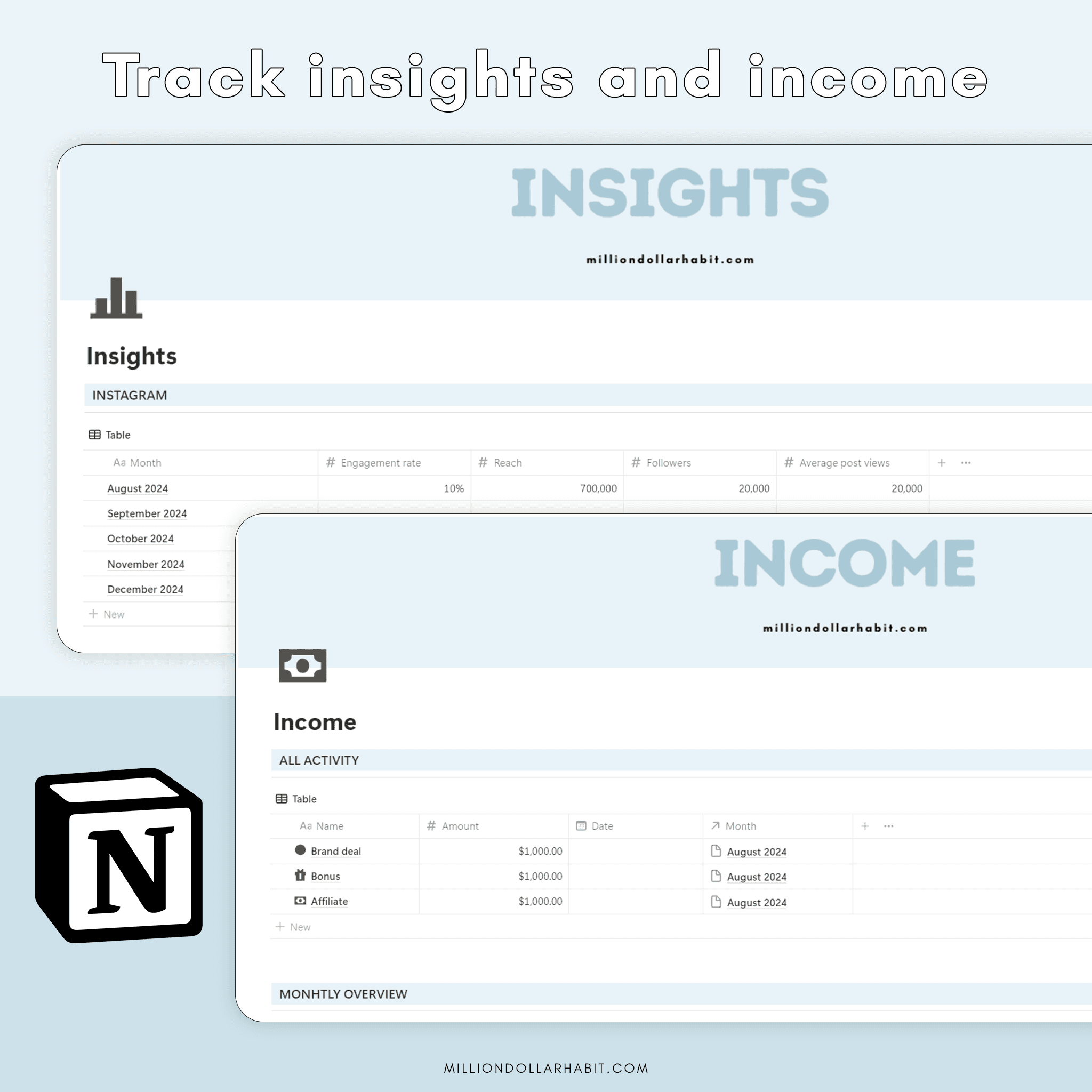
- Platform insights
- Income tracker
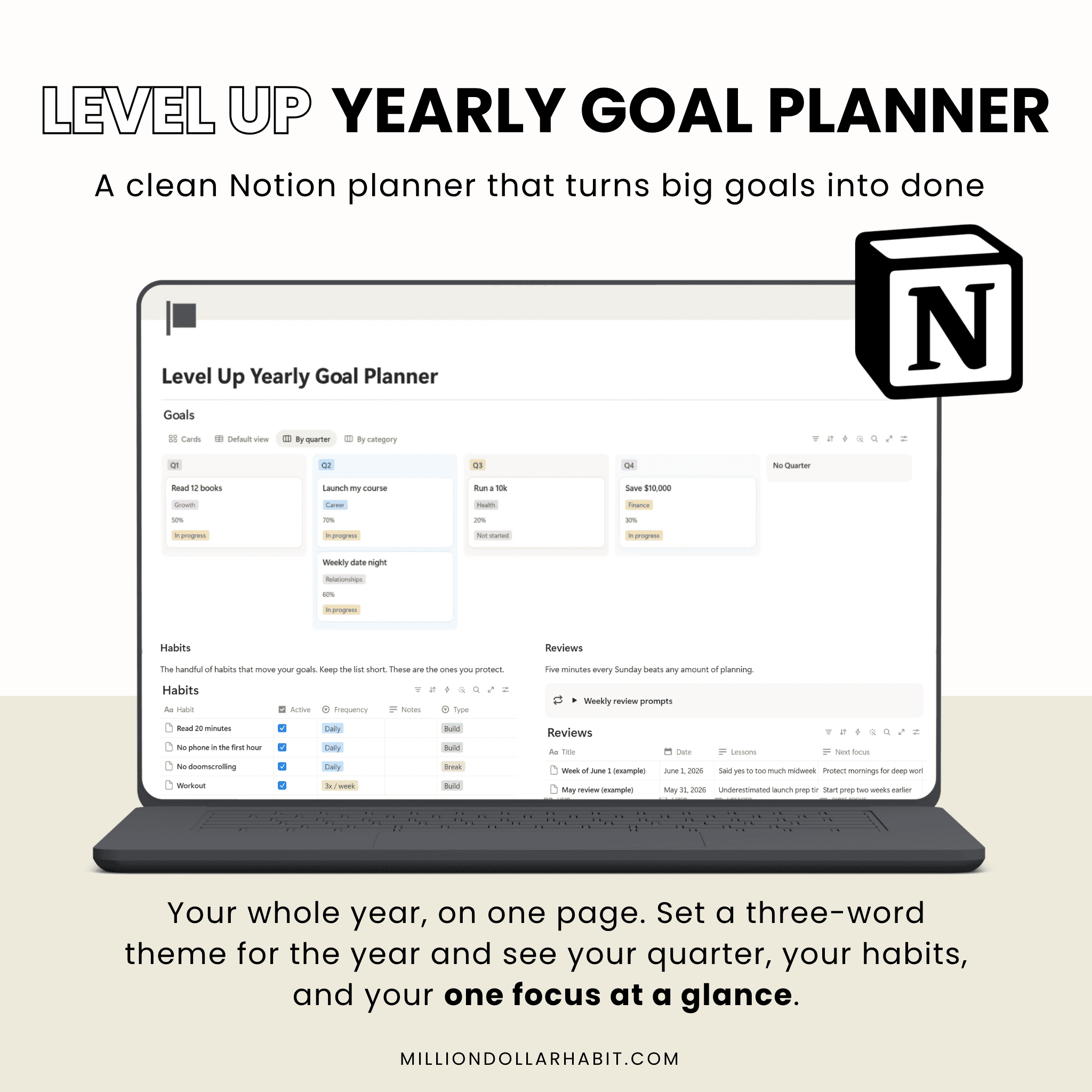
- Goal tracker
- Media kit template that you can share with brands


Is this a digital planner or a Notion workspace?
These are Notion templates, not PDF planners. They live entirely inside Notion and use databases, properties, views, and automations that are native to the app.
Is this suitable for beginners?
Yes. These Notion templates are designed to be beginner-friendly, with clear structure and intuitive layouts, no advanced Notion knowledge required.
Is this compatible with GoodNotes or iPad PDF planners?
No. Notion templates are not compatible with GoodNotes or other PDF-based planner apps. If you’re looking for an iPad planner, check out the GoodNotes planners instead.
How do I add the template to my Notion account?
After purchase, you’ll receive a link: Open the link in Notion Click “Duplicate” in the top-right corner Choose the workspace where you want to use it The template will be added instantly.
Are there multiple versions coming?
Yes. New Notion templates, layouts, and updated versions are released regularly. Subscribers will be the first to know when new versions or expansions go live.
Do I need Notion Pro or a paid plan?
No. Most Notion templates work perfectly on the free Notion plan. If a feature requires a paid plan (like advanced automations), it will always be clearly stated.
Can I use Notion templates on iPad and mobile?
Yes. Notion templates work on: Desktop (Mac & Windows) iPad iPhone Android devices For the best experience, we recommend using Notion on desktop or iPad.
What are Notion templates?
Notion templates are pre-built pages and dashboards designed to help you plan, organize, and track different areas of your life or business inside Notion. They save you time by giving you a ready-to-use structure you can customize.
Frequently Asked Questions
Is this a digital planner or a Notion workspace?
These are Notion templates, not PDF planners. They live entirely inside Notion and use databases, properties, views, and automations that are native to the app.
Is this suitable for beginners?
Yes. These Notion templates are designed to be beginner-friendly, with clear structure and intuitive layouts, no advanced Notion knowledge required.
Is this compatible with GoodNotes or iPad PDF planners?
No. Notion templates are not compatible with GoodNotes or other PDF-based planner apps. If you’re looking for an iPad planner, check out the GoodNotes planners instead.
How do I add the template to my Notion account?
After purchase, you’ll receive a link: Open the link in Notion Click “Duplicate” in the top-right corner Choose the workspace where you want to use it The template will be added instantly.
Are there multiple versions coming?
Yes. New Notion templates, layouts, and updated versions are released regularly. Subscribers will be the first to know when new versions or expansions go live.
Do I need Notion Pro or a paid plan?
No. Most Notion templates work perfectly on the free Notion plan. If a feature requires a paid plan (like advanced automations), it will always be clearly stated.
Can I use Notion templates on iPad and mobile?
Yes. Notion templates work on: Desktop (Mac & Windows) iPad iPhone Android devices For the best experience, we recommend using Notion on desktop or iPad.
What are Notion templates?
Notion templates are pre-built pages and dashboards designed to help you plan, organize, and track different areas of your life or business inside Notion. They save you time by giving you a ready-to-use structure you can customize.
Frequently Asked Questions
Is this a digital planner or a Notion workspace?
These are Notion templates, not PDF planners. They live entirely inside Notion and use databases, properties, views, and automations that are native to the app.
Is this suitable for beginners?
Yes. These Notion templates are designed to be beginner-friendly, with clear structure and intuitive layouts, no advanced Notion knowledge required.
Is this compatible with GoodNotes or iPad PDF planners?
No. Notion templates are not compatible with GoodNotes or other PDF-based planner apps. If you’re looking for an iPad planner, check out the GoodNotes planners instead.
How do I add the template to my Notion account?
After purchase, you’ll receive a link: Open the link in Notion Click “Duplicate” in the top-right corner Choose the workspace where you want to use it The template will be added instantly.
Are there multiple versions coming?
Yes. New Notion templates, layouts, and updated versions are released regularly. Subscribers will be the first to know when new versions or expansions go live.
Do I need Notion Pro or a paid plan?
No. Most Notion templates work perfectly on the free Notion plan. If a feature requires a paid plan (like advanced automations), it will always be clearly stated.
Can I use Notion templates on iPad and mobile?
Yes. Notion templates work on: Desktop (Mac & Windows) iPad iPhone Android devices For the best experience, we recommend using Notion on desktop or iPad.
What are Notion templates?
Notion templates are pre-built pages and dashboards designed to help you plan, organize, and track different areas of your life or business inside Notion. They save you time by giving you a ready-to-use structure you can customize.
Frequently Asked Questions
Testimonials
Here's what our customers are saying about our planners
Trusted by over 45000+ customers worldwide
Switched from three abandoned apps to this one and hit every weekly goal for the past two months.
5.0
Switched from three abandoned apps to this one and hit every weekly goal for the past two months.
5.0
Switched from three abandoned apps to this one and hit every weekly goal for the past two months.
5.0
The habit tracker guilt‑tags me just enough to get off Instagram and do the workout.
5.0
The habit tracker guilt‑tags me just enough to get off Instagram and do the workout.
5.0
The habit tracker guilt‑tags me just enough to get off Instagram and do the workout.
5.0
Icons and stickers drop in perfectly; my week now looks like a curated mood board
5.0
Icons and stickers drop in perfectly; my week now looks like a curated mood board
5.0
Icons and stickers drop in perfectly; my week now looks like a curated mood board
5.0
Haven’t bought a new “perfect” notebook in two months, which is a record for me.
5.0
Haven’t bought a new “perfect” notebook in two months, which is a record for me.
5.0
The muted palette feels like a cozy café; planning doesn’t feel like work anymore
5.0
The muted palette feels like a cozy café; planning doesn’t feel like work anymore
5.0
I recommend it for the Focus Modes that hide non‑essential lists during deep work sessions.
5.0
I recommend it for the Focus Modes that hide non‑essential lists during deep work sessions.
5.0
Love how the minimal layout makes my messy notes look intentional instead of chaotic
5.0
Love how the minimal layout makes my messy notes look intentional instead of chaotic
5.0
I highly recommend them to anyone needing better organization. These Notion templates are fantastic!
5.0
I highly recommend them to anyone needing better organization. These Notion templates are fantastic!
5.0
I love that we get lifetime updates for the Life Dashboard, my favorite
5.0
I love that we get lifetime updates for the Life Dashboard, my favorite
5.0
MILLION DOLLAR HABIT
Digital planners, templates and stickers for
GoodNotes, Notion and iPad planning.
Pages
Free Monthly Wallpapers
Terms of Service
© 2025 Neda Mrvaljević PR Edukativni
centar Planerium Beograd.
MILLION DOLLAR HABIT
Digital planners, templates and stickers for GoodNotes,
Notion and iPad planning.
Pages
Free Monthly Wallpapers
Terms of Service
© 2025 Neda Mrvaljević PR Edukativni centar Planerium Beograd. All rights reserved.
MILLION DOLLAR HABIT
Digital planners, templates and stickers for
GoodNotes, Notion and iPad planning.
Pages
Free Monthly Wallpapers