Free Digital Planner 2026 for
GoodNotes, Notability & iPad

Download Your
Free Digital Planner PDF
for 2026

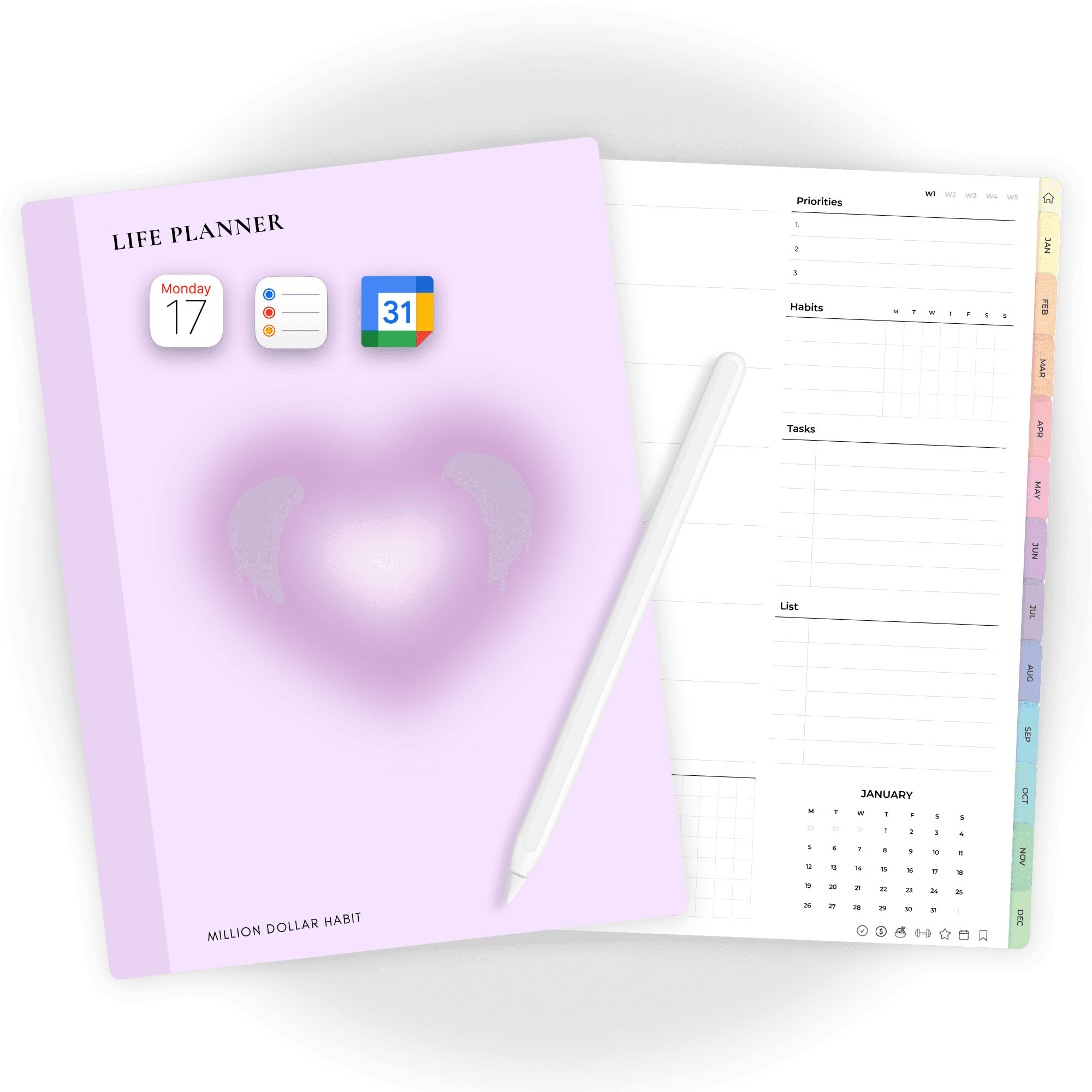
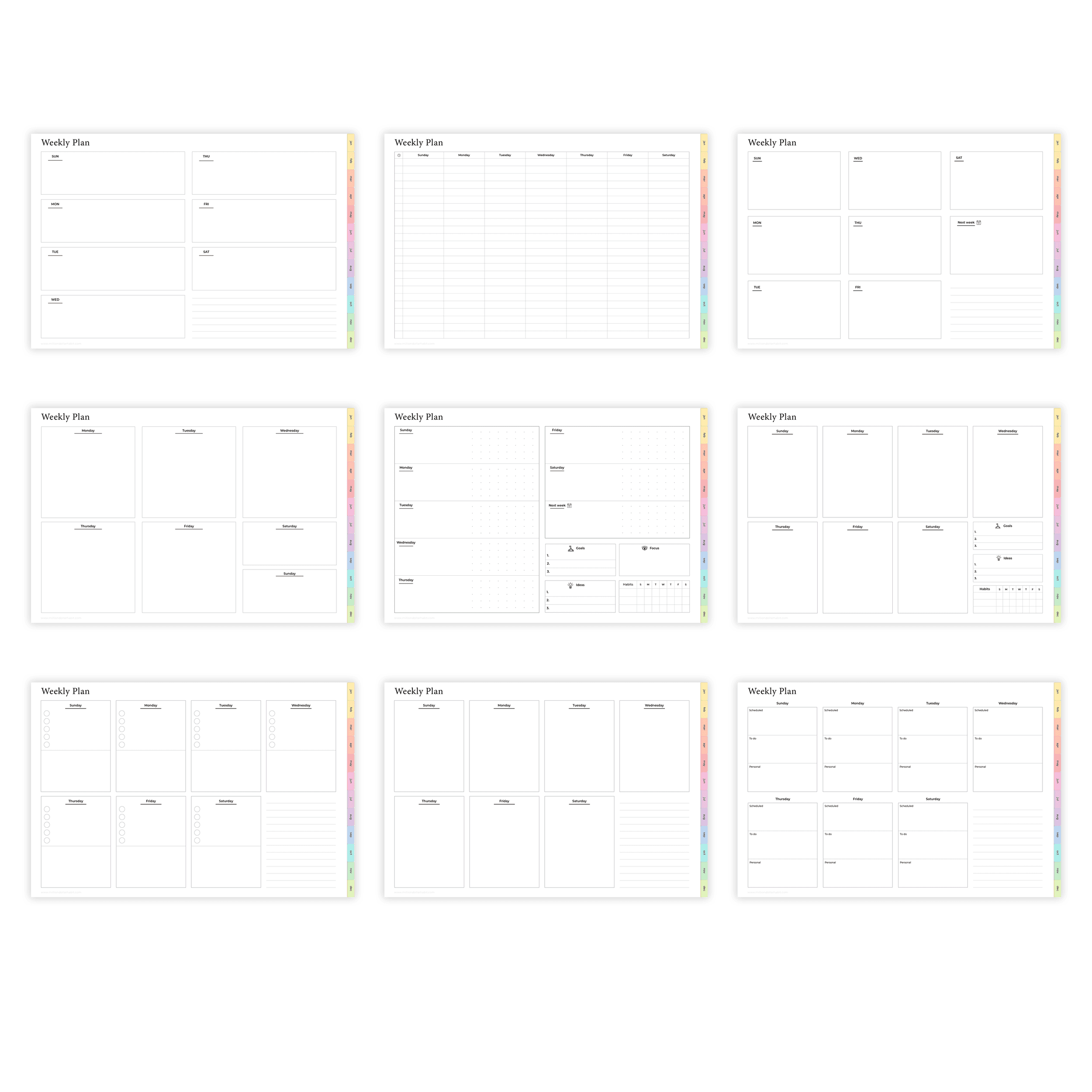
This free digital planner for 2026 is built for GoodNotes, Notability, Noteshelf and other PDF planner apps on iPad or Android tablets. It’s a full weekly life planner, not just a 4-page sample – you can actually plan your whole year with it.

New to digital planning? Read: What is a digital planner
Free Digital Planner iPad

Goodnotes / Notability / Noteshelf

Free Life Planner

Undated Weekly Digital Planner
Sunday + Monday start

Why This Is the Best Free Digital
Planner on the Internet

This isn’t a tiny sample – it’s a full undated digital planner you can use all year.

  • 12 Monthly Calendars (Undated – reuse year after year)

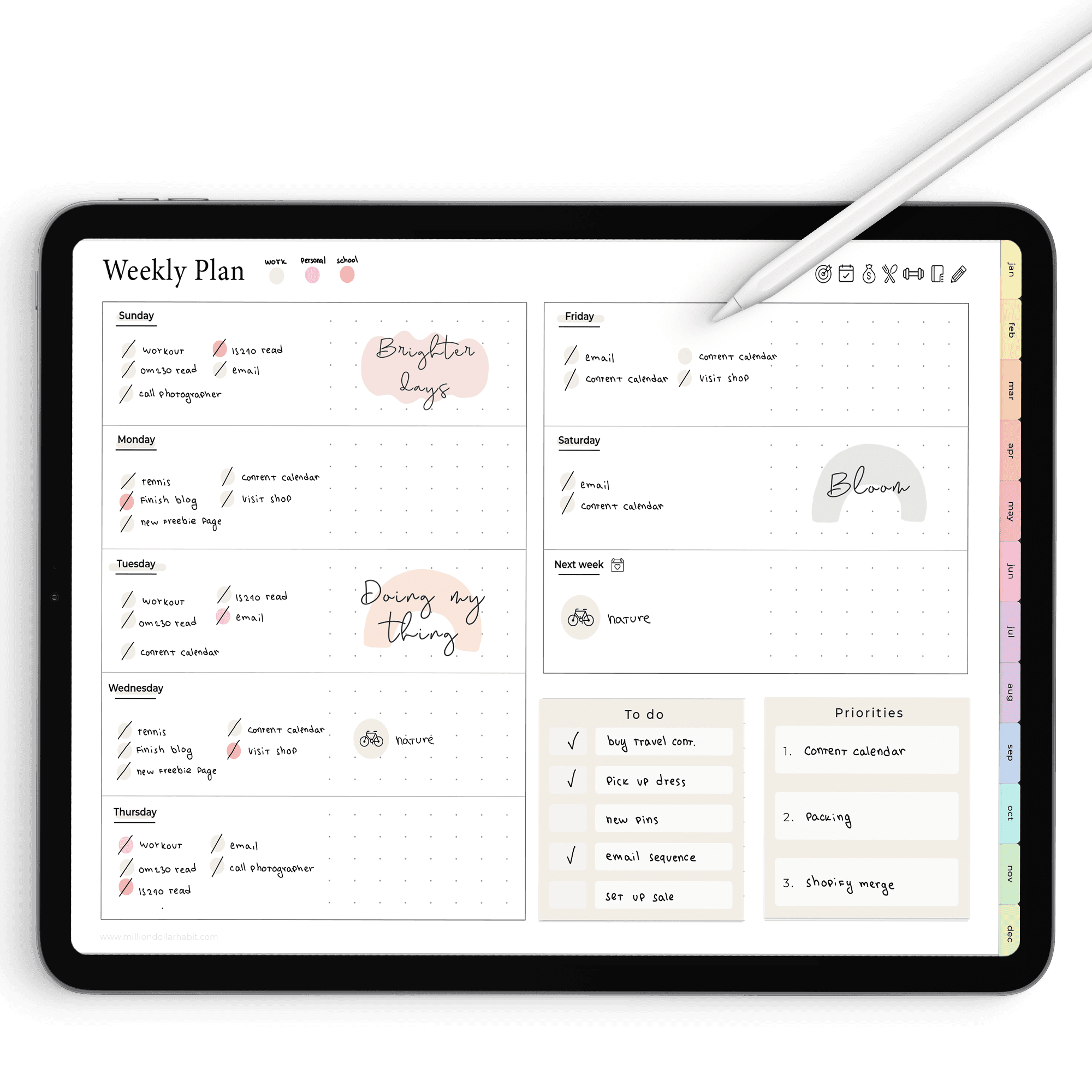
  • Weekly Planner

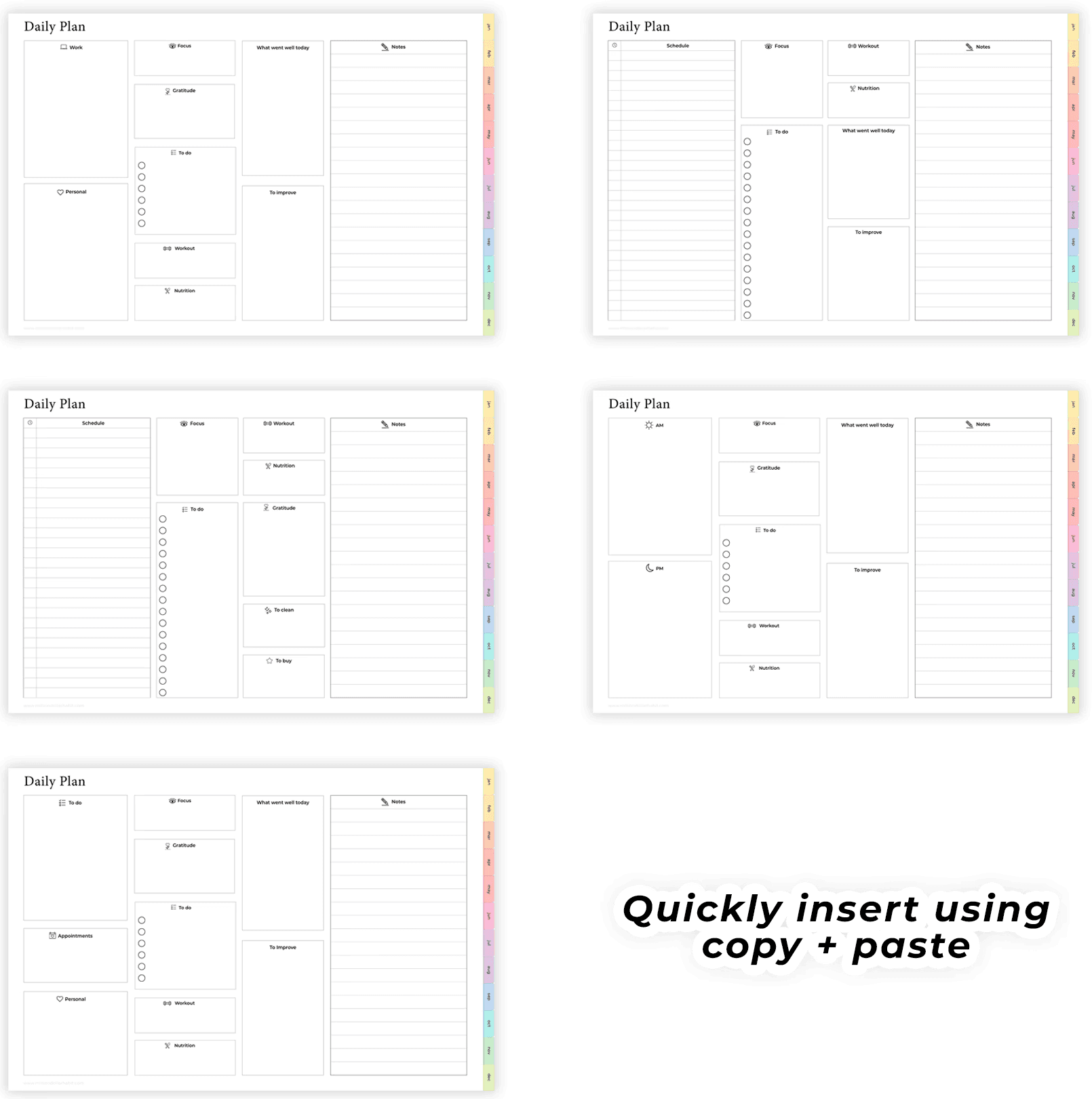
  • Daily Pages you can insert as needed

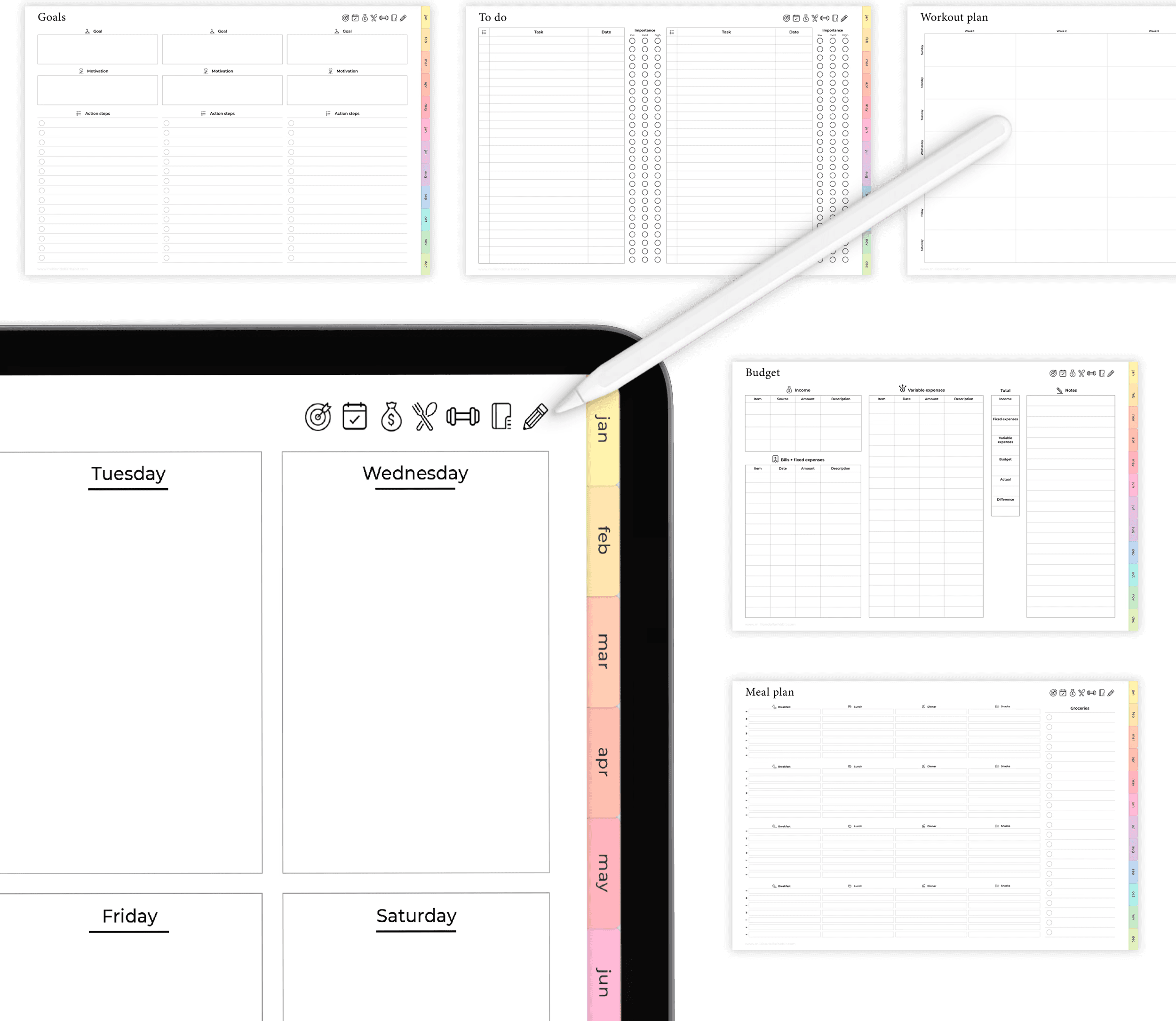
  • Goal-Setting Worksheets

  • Financial Budget Templates

  • Meal Planner

  • Workout Planner

  • Notes

  • To do lists

Free digital planner Goodnotes
Free digital planner undated

How to Use the Digital Planner

How to Use the
Digital Planner

  • Download the PDF file from our link above

  • Open it in GoodNotes, Notability, Xodo, Noteshelf, or any PDF-friendly annotation app

  • Navigate using the built-in hyperlinks (tap to move between sections)

  • Write or type directly on the pages using a stylus or your keyboard

  • Duplicate pages if you need more space—use it your way!

Instant download

Sign up to get your Free Digital Planner

Join the list and stay in the loop. A few times a month, we’ll drop in with honest reviews, practical tips, and free tools to help you write, draw, and work smarter on your iPad.
You’ll also get the password to our freebie library so you can download every digital goodie we’ve created.

What You Need to Get Started

What You Need to
Get Started

  • An iPad, Android tablet, or device that supports PDF annotation

  • A stylus (like Apple Pencil or S Pen)

  • A free or paid app like GoodNotes, Notability, or Xodo

  • Optional: Digital stickers or widgets for customization
Free digital planner 2026

Want More?

Check out our digital productivity shop, premium templates, and planner bundles for deeper habit tracking and daily success.

Digital Bullet Journal on iPad

Goodnotes / Notability / Noteshelf

Goodnotes / Notability / Noteshelf

2026 Digital Life Planner

2026 Digital Life Planner

Designed to help you organize your life, set meaningful goals, and track progress with ease, this all-in-one 2026 digital life planner keeps everything in one place so you stay focused, productive, and in control all year long.

Notion is not just another productivity tool or note-taking app

Notion is not just another productivity tool or note-taking app

FAQ

What exactly is a digital planner?

A digital planner is like a traditional paper planner—but made for your tablet. It’s usually a PDF with hyperlinked tabs, designed to work inside note-taking apps like GoodNotes, Notability, OneNote, or even Notion. You can write on it with your stylus, add stickers, and organize your life without carrying paper everywhere.

How do I use the hyperlinks inside my planner?

Hyperlinks are built-in buttons that let you jump between sections of your planner (like monthly → weekly → daily pages). In GoodNotes and most apps, tap the “read-only” or “presentation” mode (instead of writing mode) to make the links active. Once tapped, they’ll instantly take you to the right page.

What do I need to start digital planning?

At minimum, you’ll need: A tablet (iPad is most common, but Android works too) A stylus (Apple Pencil or similar) A note-taking app (GoodNotes, Notability, OneNote, etc.) And of course, your digital planner file!

Which iPad works best for digital planning?

All modern iPads can run apps like GoodNotes, but you’ll get the best experience with models that support the Apple Pencil (iPad 6th gen and newer, iPad Air 3rd gen and newer, iPad Pro models).

How can I install fonts on my iPad?

You’ll need a font-installation app such as iFont or AnyFont from the App Store. Once installed, you can import your font files, follow the prompts to install a profile, and your new fonts will appear in apps that support custom fonts (like Keynote or Pages).

Can I use an Android tablet instead of an iPad?

Yes! Digital planners are PDFs, so they work on most tablets. Popular Android options include Samsung Notes, Penly, and Xodo. The setup may look a little different, but the experience is very similar.

What exactly is a digital planner?

A digital planner is like a traditional paper planner—but made for your tablet. It’s usually a PDF with hyperlinked tabs, designed to work inside note-taking apps like GoodNotes, Notability, OneNote, or even Notion. You can write on it with your stylus, add stickers, and organize your life without carrying paper everywhere.

How do I use the hyperlinks inside my planner?

Hyperlinks are built-in buttons that let you jump between sections of your planner (like monthly → weekly → daily pages). In GoodNotes and most apps, tap the “read-only” or “presentation” mode (instead of writing mode) to make the links active. Once tapped, they’ll instantly take you to the right page.

What do I need to start digital planning?

At minimum, you’ll need: A tablet (iPad is most common, but Android works too) A stylus (Apple Pencil or similar) A note-taking app (GoodNotes, Notability, OneNote, etc.) And of course, your digital planner file!

Which iPad works best for digital planning?

All modern iPads can run apps like GoodNotes, but you’ll get the best experience with models that support the Apple Pencil (iPad 6th gen and newer, iPad Air 3rd gen and newer, iPad Pro models).

How can I install fonts on my iPad?

You’ll need a font-installation app such as iFont or AnyFont from the App Store. Once installed, you can import your font files, follow the prompts to install a profile, and your new fonts will appear in apps that support custom fonts (like Keynote or Pages).

Can I use an Android tablet instead of an iPad?

Yes! Digital planners are PDFs, so they work on most tablets. Popular Android options include Samsung Notes, Penly, and Xodo. The setup may look a little different, but the experience is very similar.

What exactly is a digital planner?

A digital planner is like a traditional paper planner—but made for your tablet. It’s usually a PDF with hyperlinked tabs, designed to work inside note-taking apps like GoodNotes, Notability, OneNote, or even Notion. You can write on it with your stylus, add stickers, and organize your life without carrying paper everywhere.

How do I use the hyperlinks inside my planner?

Hyperlinks are built-in buttons that let you jump between sections of your planner (like monthly → weekly → daily pages). In GoodNotes and most apps, tap the “read-only” or “presentation” mode (instead of writing mode) to make the links active. Once tapped, they’ll instantly take you to the right page.

What do I need to start digital planning?

At minimum, you’ll need: A tablet (iPad is most common, but Android works too) A stylus (Apple Pencil or similar) A note-taking app (GoodNotes, Notability, OneNote, etc.) And of course, your digital planner file!

Which iPad works best for digital planning?

All modern iPads can run apps like GoodNotes, but you’ll get the best experience with models that support the Apple Pencil (iPad 6th gen and newer, iPad Air 3rd gen and newer, iPad Pro models).

How can I install fonts on my iPad?

You’ll need a font-installation app such as iFont or AnyFont from the App Store. Once installed, you can import your font files, follow the prompts to install a profile, and your new fonts will appear in apps that support custom fonts (like Keynote or Pages).

Can I use an Android tablet instead of an iPad?

Yes! Digital planners are PDFs, so they work on most tablets. Popular Android options include Samsung Notes, Penly, and Xodo. The setup may look a little different, but the experience is very similar.

MILLION DOLLAR HABIT

Digital planners, templates and stickers for GoodNotes,
Notion and iPad planning.

Terms of Service

© 2025 Neda Mrvaljević PR Edukativni centar Planerium Beograd. All rights reserved.

MILLION DOLLAR HABIT

Digital planners, templates and stickers for
GoodNotes, Notion and iPad planning.

© 2025 Neda Mrvaljević PR Edukativni centar Planerium Beograd.